Download Finished but No APK File? Finding Jai Club Downloads on Android
Downloaded a Jai Club APK but cannot find the file? Learn how Android Downloads folders, Chrome download history, Files by Google and file extensions affect downloaded APK visibility.
In this article
- Where Are APK Downloads Saved on Android?
- Downloaded APK vs Installed Application
- How Chrome Download History Helps
- Why the File May Have a Different Name
- Why the Download Might Not Be an APK
- Android File Manager Filters
- What If Files by Google Cannot Find It?
- Download Complete vs Download Interrupted
- Why Storage Space Matters
- Does a Missing APK Mean the App Is Already Installed?
- Why Download Sources Need Verification
- Frequently Asked Questions
- Where is a Jai Club APK saved after downloading?
- Why is the APK not showing in the file manager?
- Does downloading an APK automatically install the application?
- Why does an APK filename end with (1)?
- Can an HTML file be renamed to APK?
- Does a completed download mean the APK is safe?
- Why is the APK missing but the application is installed?
- Conclusion
An Android browser reports that a download has finished. The progress indicator disappears, and the file appears to have been saved successfully. However, when you open the phone's file manager, the expected APK is nowhere to be found.
This situation can be confusing, particularly when searching for Jai Club download APK file not found or Jai Club APK downloaded but missing.
A missing file does not always mean the download failed. The browser may have saved it in a different location, the file manager may be using a filter, or the downloaded item may not actually be an APK package.
Understanding how Android manages downloaded files can help distinguish an ordinary storage issue from an incomplete or suspicious download.
This guide explains where Chrome usually stores downloads, why file names may change and how to interpret different Android file-management messages.
Where Are APK Downloads Saved on Android?
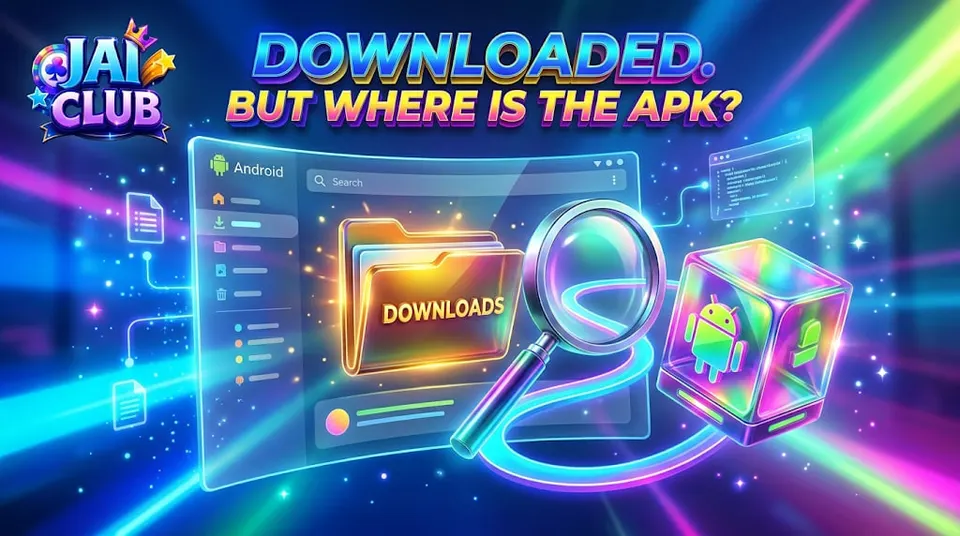
Android devices commonly provide a Downloads directory for files obtained through browsers and other applications.
On many devices, downloaded documents and APK packages can be found through the built-in file manager or Files by Google.
However, the exact location depends on the browser, Android version and device manufacturer's software.
Some phones display a Downloads shortcut directly in the file manager.
Others require users to open internal storage before selecting the relevant folder.
A browser may also maintain its own download history, which can help identify the saved file.
The important point is that a file can exist on the device without immediately appearing on the home screen.
Downloading an APK does not automatically create an installed application icon.
Downloaded APK vs Installed Application
A downloaded APK and an installed Android application are different things.
An APK is an installation package stored as a file.
An installed application is software that Android has processed and added to the device's application environment.
For example, an APK may appear inside the Downloads folder without an app icon appearing in the launcher.
That does not necessarily mean anything is wrong with the file.
It simply means the package has not been installed.
The opposite situation can also occur. An application may already be installed even though the original APK file has been deleted.
Therefore, searching the home screen is not the same as searching for the downloaded package.
How Chrome Download History Helps
Chrome maintains a record of downloads associated with the browser, subject to its settings and history retention.
This can help identify the file name and whether the browser considered the transfer complete.
A browser entry may also indicate that a download was interrupted or blocked.
However, a completed download entry should not be mistaken for proof that an APK is authentic.
It only describes the browser's handling of that transfer.
The file itself may still need to be examined before any installation is considered.
For general information about Android application packages and mobile access, see the Jai Club APK Download guide.
Why the File May Have a Different Name
The filename displayed on a website is not necessarily the filename used when a browser saves the item.
A server can suggest a download filename, and the browser may handle name conflicts according to its own rules.
For example, downloading a file with the same name twice can produce an additional suffix.
A second copy might be saved with a name ending in (1).
That does not automatically mean the second file is a newer software version.
It may simply be another copy of the downloaded item.
Likewise, changing an APK filename does not change the software package contained inside it.
A filename is therefore a useful search clue, but not a reliable application identifier.
Why the Download Might Not Be an APK
Sometimes a download button opens another webpage instead of delivering the expected package.
The browser may save an HTML document, display an error page or redirect to a different destination.
A file that does not have an APK structure cannot be treated as a valid Android installation package merely because its name contains Jai Club.
The file extension helps describe the format, but a renamed extension does not transform one file type into another.
For example, changing a downloaded webpage's name to end in .apk does not create Android application code.
This distinction is particularly important when the download source is unfamiliar.
Android File Manager Filters
File managers often organise content by type.
A device may provide separate categories for images, videos, documents, audio files and installation packages.
If the file manager is currently displaying only images, an APK may not appear in the results.
Some applications also provide recent-file views that do not show every item stored on the device.
The Downloads directory and application package category may therefore display different results.
This is a file-management issue rather than proof that the browser deleted the download.
However, the exact interface varies across Samsung, Xiaomi, Vivo, Oppo, Realme and other Android devices.
What If Files by Google Cannot Find It?
Files by Google can display downloaded files and provide access to device storage.
However, what appears in the app depends on the file's actual location and the permissions available to the file manager.
A download saved inside another application's private storage may not appear in the ordinary shared Downloads directory.
Some files can also be removed by cleanup actions or storage-management tools.
If the file cannot be found, the browser's own download history may provide more useful information about what happened.
A missing entry in one file manager does not conclusively prove the file was never saved.
Download Complete vs Download Interrupted
A browser download consists of a file transfer.
If the transfer finishes successfully, the browser may display a completed status.
If the connection is interrupted, the item may remain incomplete or display an error.
An incomplete transfer may not produce a usable APK.
A file can also appear in storage while containing less data than the original package.
Therefore, merely finding a file does not prove that it is complete.
An appropriate integrity check requires a trustworthy reference from the intended software publisher.
File size alone is not enough to confirm authenticity.
Why Storage Space Matters
Downloads require available storage.
When device storage becomes very limited, Android applications may have difficulty saving new files.
A transfer might fail or leave an incomplete item.
However, the required storage depends on the file size and the device's configuration.
An APK's download size is also different from the space an installed application may eventually occupy.
Installation can involve additional application files and locally stored data.
Keeping sufficient free storage helps normal Android operation, but it does not guarantee that every unfamiliar APK is valid or safe.
Does a Missing APK Mean the App Is Already Installed?
Not necessarily.
Some users expect an APK file to remain permanently available after installation.
Others assume the download must be installed because the browser showed a completed transfer.
Neither assumption is reliable.
The installation state should be checked independently from the file's download state.
A file can exist without being installed.
An app can also remain installed after its original downloaded package is removed.
These are separate parts of Android's software-management process.
Why Download Sources Need Verification
Search results for Jai Club APK download may include official-looking websites, application directories and third-party pages.
A familiar logo does not automatically establish that the distributed file belongs to the intended software publisher.
A suspicious download page may also deliver a different file from the one advertised.
This makes the source more important than the apparent download completion status.
If a package cannot be independently attributed to a trusted publisher, finding the missing file should not be treated as a reason to install it.
For related software troubleshooting, read Why Does an Android Gaming App Freeze or Crash?.
Frequently Asked Questions
Where is a Jai Club APK saved after downloading?
On many Android devices, browser downloads are saved in the Downloads directory, although the location depends on the browser and device.
Why is the APK not showing in the file manager?
Possible explanations include file filters, a different storage location, interrupted downloads or an unexpected filename.
Does downloading an APK automatically install the application?
No. Downloading and installing are different processes.
Why does an APK filename end with (1)?
Android browsers may add a suffix when another file with the same name already exists.
Can an HTML file be renamed to APK?
Renaming the extension does not convert a webpage into a valid Android application package.
Does a completed download mean the APK is safe?
No. Download completion does not establish publisher authenticity or software safety.
Why is the APK missing but the application is installed?
The original package file may have been removed while the installed application remains on the device.
Conclusion
A completed download that cannot be found is often a file-location or browser-history issue rather than an account problem.
Android distinguishes downloaded packages from installed applications, while browsers and file managers can display stored files differently.
File names, extensions, storage locations and download status all contribute to the explanation.
For more information about the Android application terminology associated with Jai Club, explore the Jai Club Game information hub.
Finding a downloaded file and verifying that it is authentic are two separate tasks.